How to Secure Your AI Stack with Lorikeet Step-by-Step
Locking down your AI stack before attackers do (82% of breaches start with exposed assets)
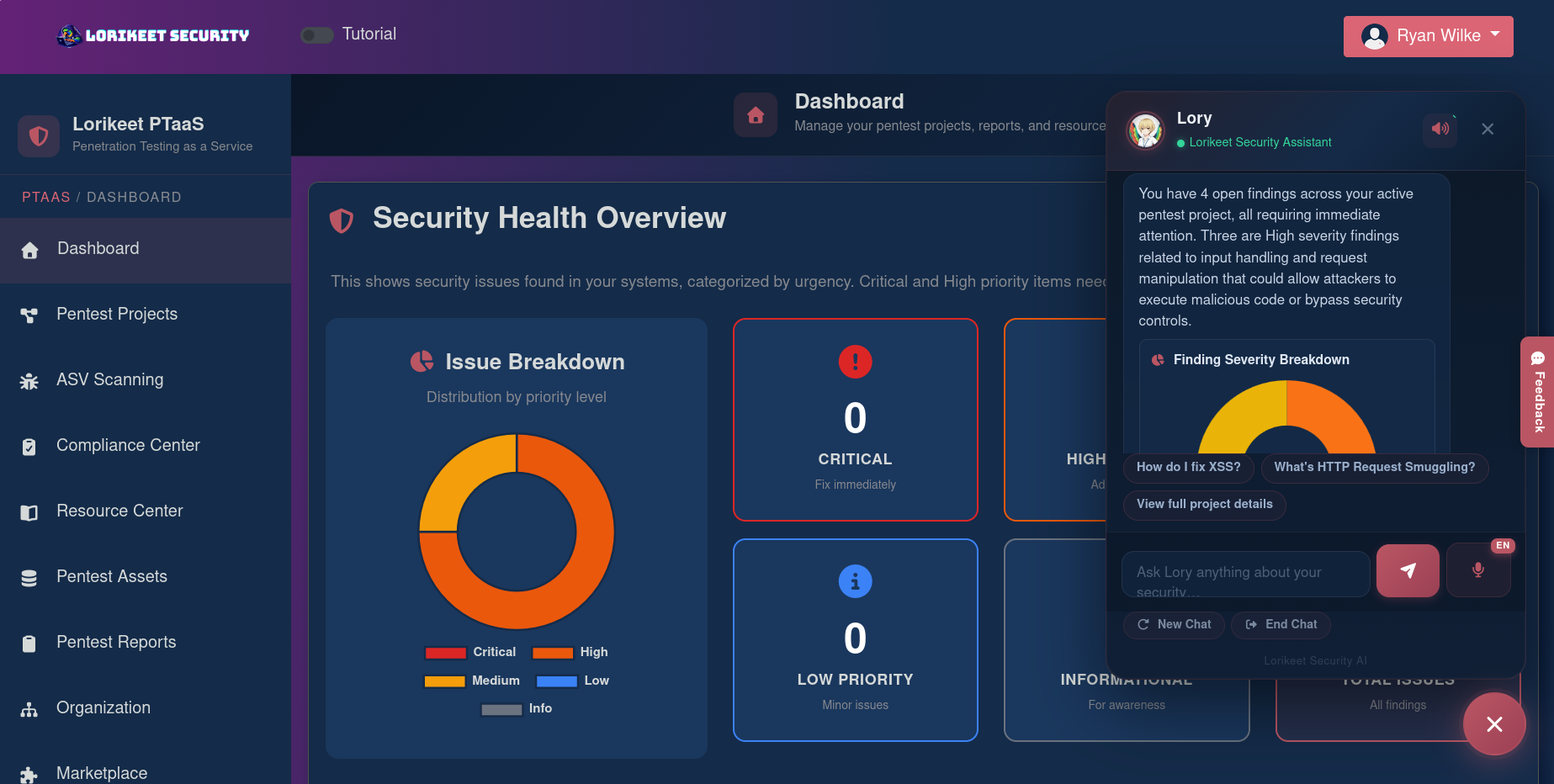
Teams waste hours chasing noisy scans — and attackers only need one hole. We’ve found Lorikeet Security turns penetration testing from a quarterly checkbox into an ongoing security program: live portal tracking, an AI assistant (Lory) trained on ~2,000 vulnerability entries, 24/7 attack-surface monitoring, and compliance automation. While other vendors focus on point solutions, Lorikeet combines manual pentests, continuous monitoring, and audit-ready reporting — which matters when you’re protecting models, APIs, and cloud infra.
Step 1: Getting your Lorikeet workspace live
Follow these steps as if you’ve never used a security platform before.
- Create an account on the Lorikeet portal and complete the organization profile — name, contacts, primary cloud providers.
- Invite team members (developers, SRE, security lead) so findings map to owners.
- Define the engagement scope in the portal:
- For web apps/APIs: provide base URLs, sample authenticated accounts, and API endpoints (REST, GraphQL, SOAP).
- For cloud: add read-only credentials or an IAM role for AWS/Azure/GCP; mark sensitive regions or excluded resources.
- For AI apps: upload binaries, provide sandbox endpoints, and describe agent workflows for AI agent assessments and vibe coding reviews.
- Select services (pen tests, continuous monitoring, compliance automation). Schedule the initial manual test window and enable 24/7 monitoring.
- Use the onboarding checklist and connect compliance tools (Vanta/Drata) if you need audit automation.
We recommend scheduling tests during a maintenance window and providing staging/test accounts to avoid production disruptions.
Step 2: Core Lorikeet features you’ll use immediately
We focused on the features that drive immediate improvement.
- Real-time engagement portal
- Watch researchers work live, review notes, and triage findings in-platform rather than in a static PDF.
- Actionable task lists let you assign fixes to developers with deadlines.
- Lory — the AI assistant
- Query Lory for context on findings, remediation steps, and historical severity examples to speed remediation planning.
- Manual penetration testing across the full stack
- Web apps, APIs, mobile/desktop clients, cloud, AD, containers/Kubernetes, and AI agent security assessments — every finding includes step-by-step remediation for devs and auditors.
- Continuous attack surface monitoring (24/7)
- Detect new assets, exposed endpoints, and regressions so you can remediate between scheduled pentests.
- Compliance automation & audit-ready reports
- Mapped findings to SOC 2, PCI-DSS, ISO 27001, HIPAA, GDPR, and more — integrates with Vanta/Drata and can help you get from pentest to attestation.
Practical example: after a GraphQL pentest, assign the resolver fix to a dev, tag it to your SOC 2 control in the portal, and trigger a free retest once patched.
Step 3: Pro tips for AI teams and model owners
Our team debated the highest-impact practices for AI-specific risk — here’s what we use.
- Ask for an AI agent security assessment and a vibe coding review when you ship apps that use model orchestration tools. Test for prompt injection, data exfiltration, and chain-of-thought leakage.
- Provide sample prompts, model endpoints, and access-control policies so testers can simulate realistic misuse.
- Harden model-serving infra: rate limits, strict API keys, network egress rules, and encrypted model stores.
- Use Lory to map pentest findings to compliance controls (e.g., DLP gaps → SOC 2 CC6) so remediation doubles as audit evidence.
Common mistakes we see (and how to avoid them)
- Over-scoping or under-scoping tests — define realistic attack surfaces and include integrations (third-party auth, CI/CD).
- Not supplying test credentials — give scoped, revocable test accounts to let researchers reach authenticated functionality.
- Treating pentests as one-offs — enable continuous monitoring and plan periodic manual tests plus free retests for verification.
How Lorikeet stacks up against adjacent tooling
While Flowtriq excels at instant DDoS detection and automated mitigation to keep servers online, Lorikeet Security is better suited for comprehensive offensive testing, compliance-heavy programs, and AI-specific assessments. Flowtriq’s strength is automated infra protection and minimal operational overhead; Lorikeet’s differentiators are manual research (no automated false positives), an interactive portal, Lory the AI assistant, and integrated compliance attestations — making it a stronger fit for teams that need audit-ready evidence and deep application-layer testing. Pricing-wise, Flowtriq may be more cost-effective for pure DDoS protection, while Lorikeet targets organizations investing in a full security program and managed services.
Final verdict: who should adopt Lorikeet?
We recommend Lorikeet for startups and enterprises building AI-enabled products, regulated teams pursuing SOC 2/ISO attestation, and organizations that want live, human-led testing plus continuous monitoring. If your primary risk is DDoS-driven uptime, complement Lorikeet with a specialized mitigation service like Flowtriq. For most teams worried about API, model, and cloud attack surfaces — especially where compliance and developer-friendly remediation matter — Lorikeet delivers a practical, audit-ready path from findings to fixes.
External Resource
Access Lorikeet Security →